Proxmox VE supports Linux bridge and OpenvSwitch for networking. Linux Bridge is default option and for OpenvSwitch, need to install openvswitch-switch package. When planning to use VLANs for host storage networking as well as for VM, OpenvSwitch makes it as better option. In this blog, I will explore the concerns with Linux Bridge for Proxmox VE for the same use case.
Let me start with some high level overview for those who are new to Proxmox VE environment. Every Proxmox VE hosts need to have network interface card for management, storage network, VM network, cluster communication, a dedicated network for migration and underlay network communication (if you use overlay networks). Typically the hosts will have 2 to 4 NICs. VLANs are often used to separate the traffic with its own broadcast domain. A logical switch is used with physical NICs as uplink ports. Link aggregation is often utilized to provide fault tolerance and better performance. While configuring LACP on switches, don't forget to enable LACP standalone or individual mode so that it can communicate during the installation phase or before setting up the bond interface for uplink. The ports for Proxmox VE is configured as trunk port
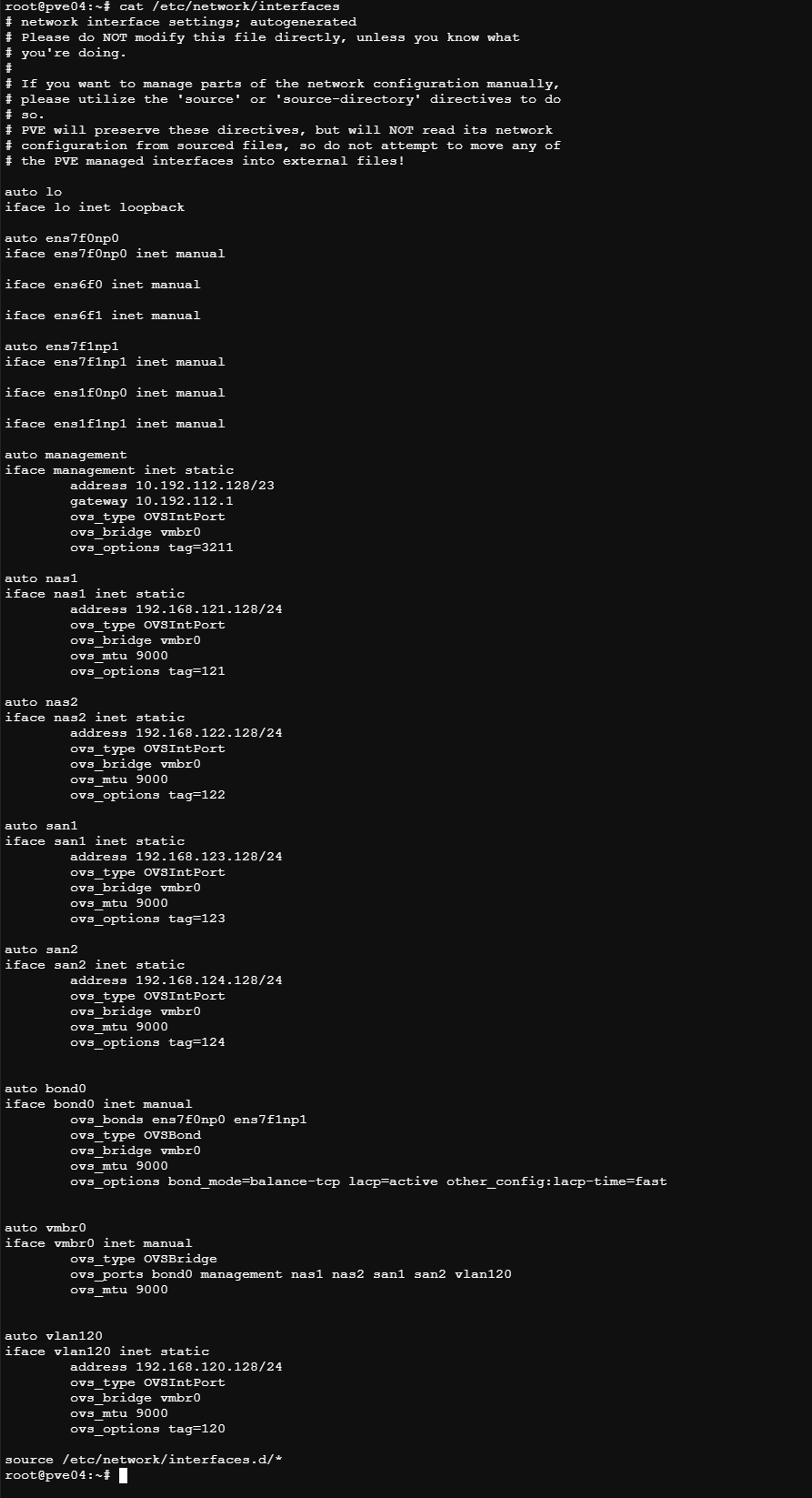
If management IP is accessible, using https UI at port 8006, under System -> Network, the configuration can be defined and it updates /etc/network/interface which can also be manually edited if UI is not accessible. So, typically you define the Bond interface, bridge, VLAN ports with IP address. VMs can connect to the bridge or define VLAN ID on the bridge.
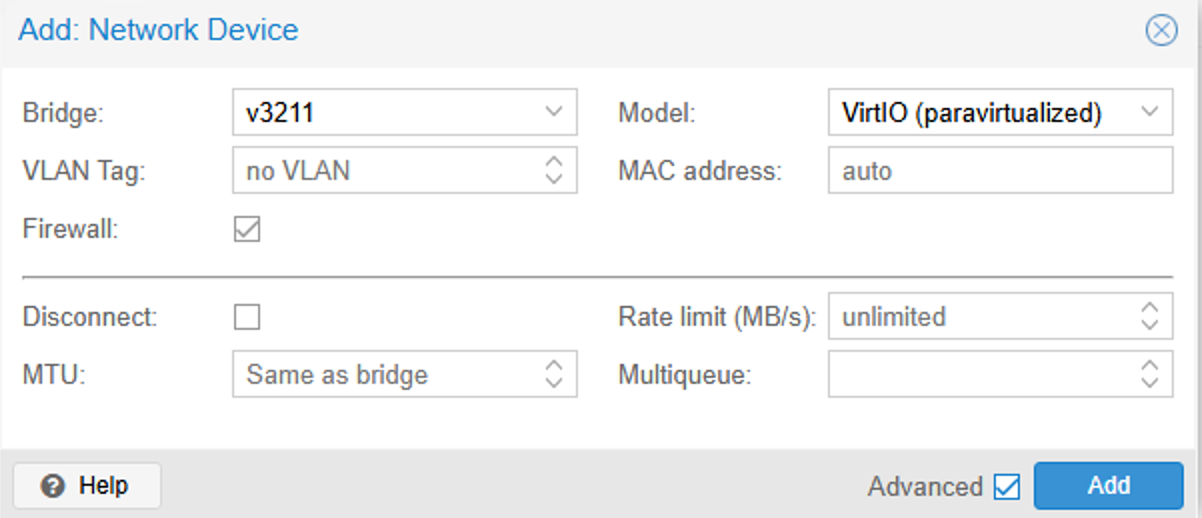
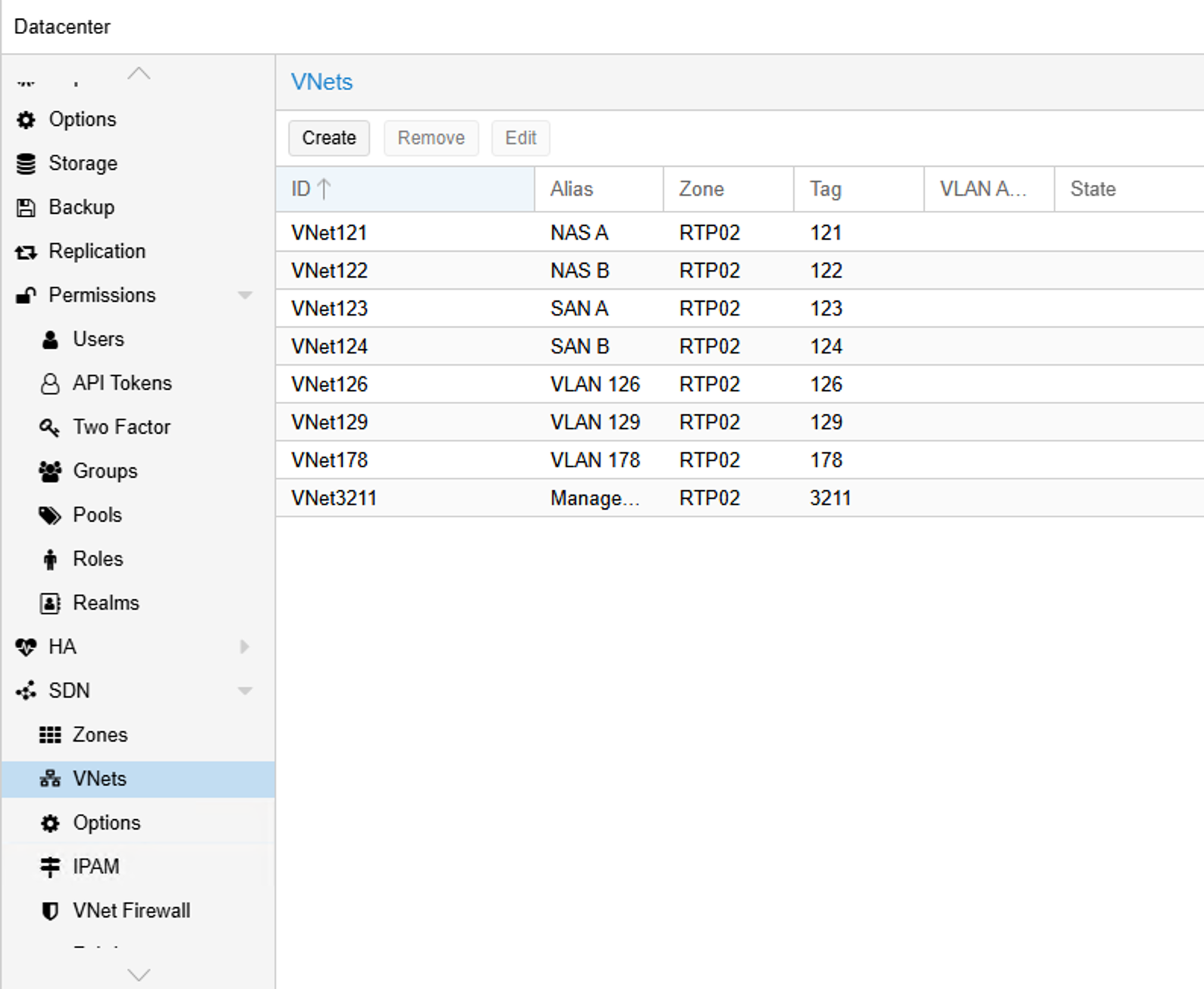
VM networks (VNet) can be defined using SDN at Cluster level. Zone defines the target hosts that participate in SDN and type of the SDN network. The Zone types are Simple ( Source NAT to Host network), VLAN (802.1Q which depends on external switch support), QinQ (802.1ad - Private/Stacked VLANs), VXLAN (Layer 2 over Layer 3 - VM Internal Networks) and EVPN (Layer 3 Multi-Cluster network). VNets defined with SDN are stored at /etc/pve/sdn/vnets.cfg and /etc/network/interfaces.d/.
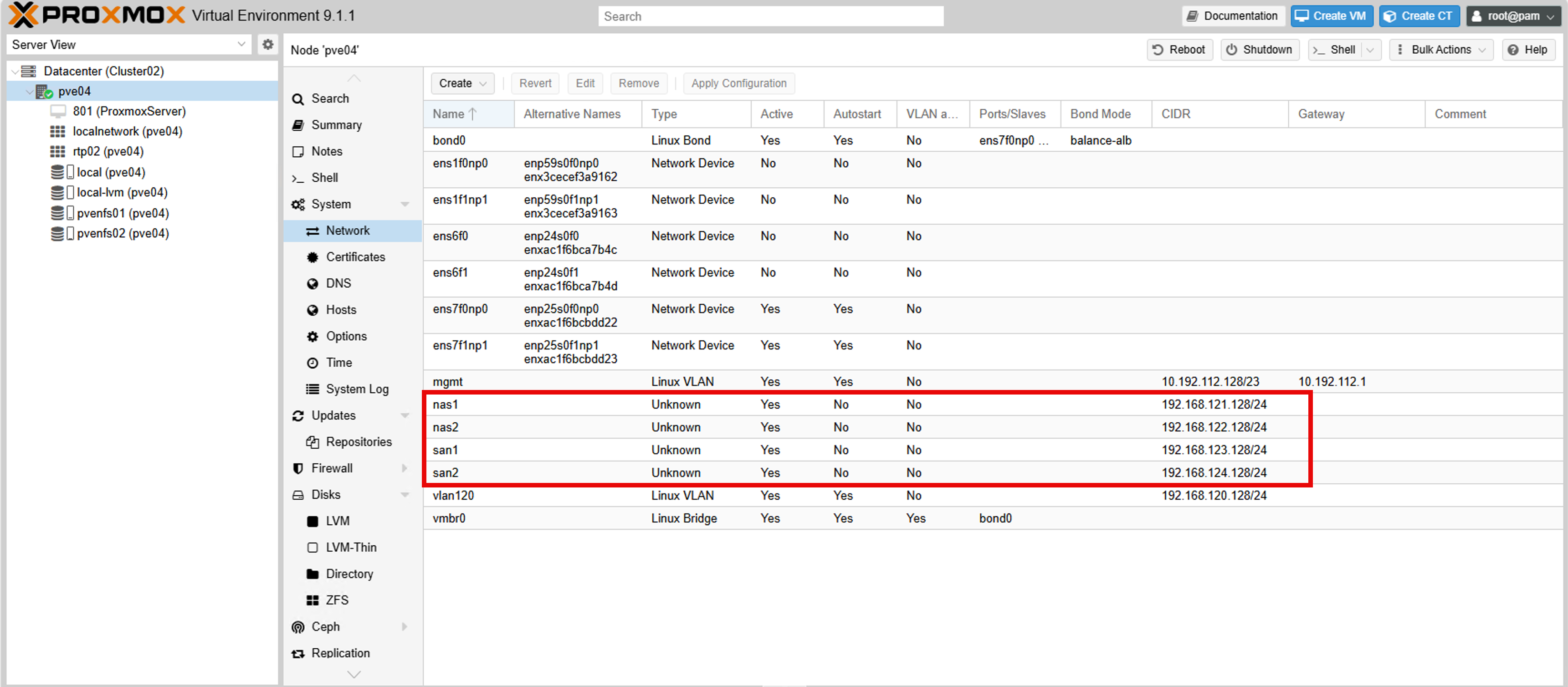
In Linux, the VLAN interface can be defined as <interface>.<vlan id> or using the keyword vlan-id for the interface.
Issue is, it display the type as Unknown on UI.
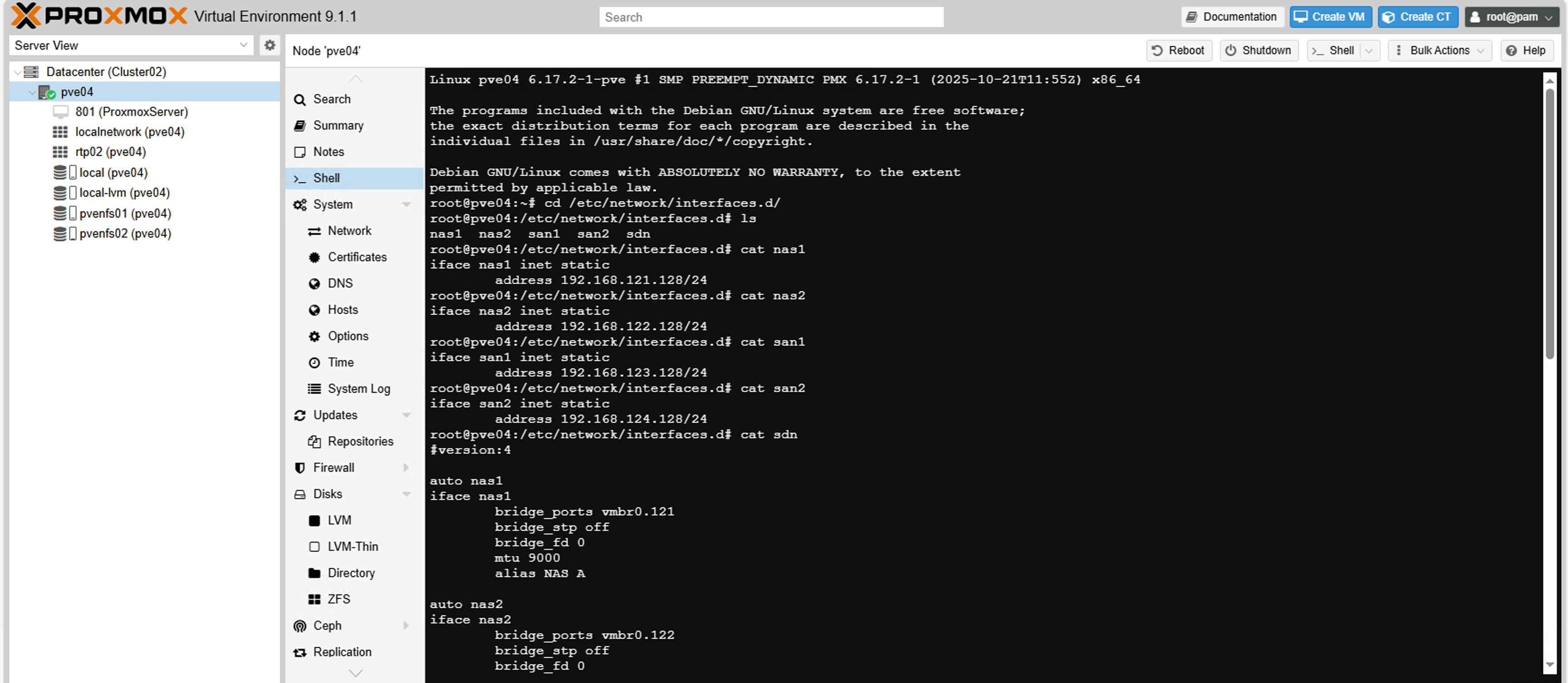
Second option tried was defining host specific IP address under /etc/network/interfaces.d on each host.
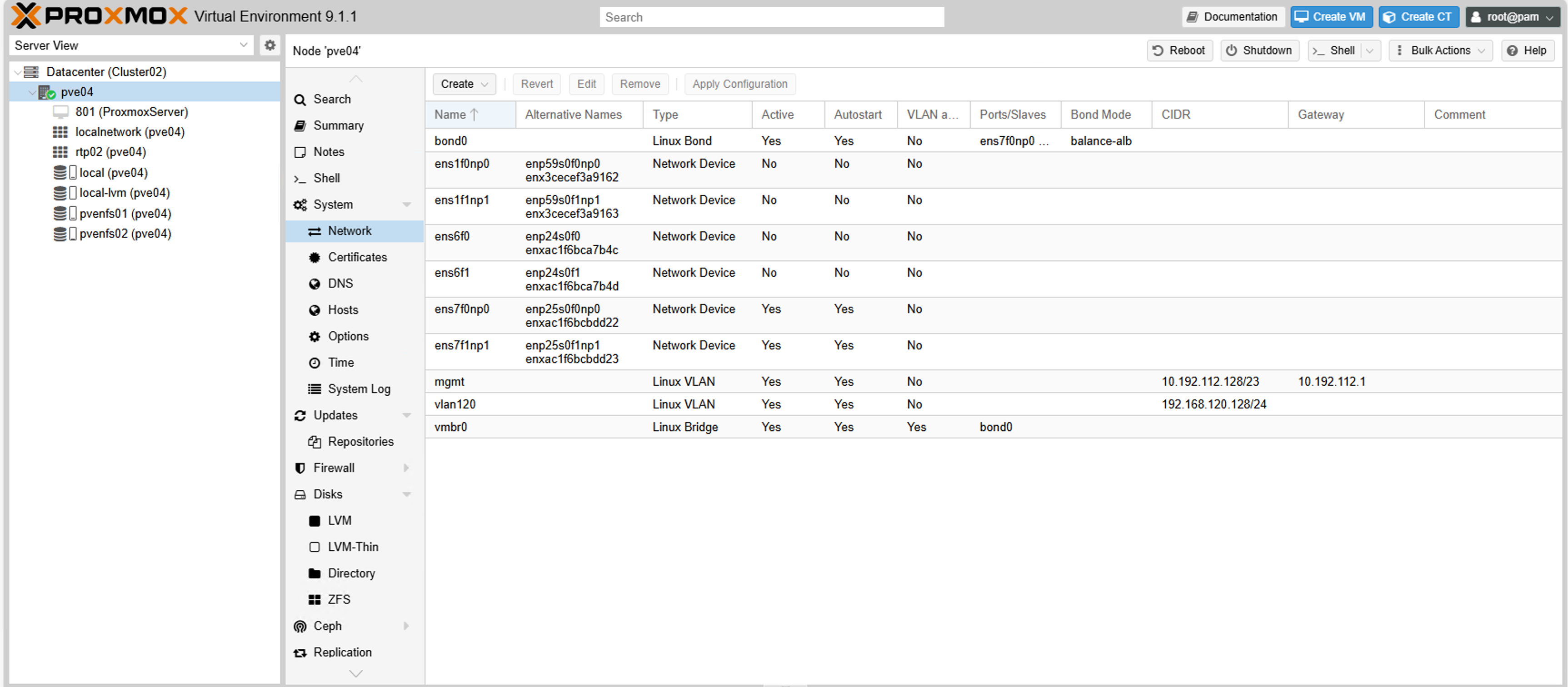
In this case, the host interface info doesn't show up on UI.
It works perfectly but because of above concerns, switched to OpenvSwitch.
Installed OpenvSwitch package (apt install openvswitch-switch) on all hosts. I was able to use the UI and complete the configuration. Note: OpenvSwitch uses "_" compared to "-" in Linux Bridge configuration.
Here is the VNet UI
and here is the Network information from host UI
For troubleshooting the following commands come in handy.
ovs-vsctl show (to check the switch ports and types)
ovs-appctl fdb/show <switchname> (to check arp tables on VLAN)
ovs-appctl bond/show (to troubleshoot link aggregation)
I was able to move all the VMs and Linux Containers to other hosts, update the configuration from Linux Bridge to OpenvSwitch. Only issue with OpenvSwitch that you need to be aware of is, when you execute ip address show command or ip link show command, OpenvSwitch bridge or interface status will be shown as unknown. Need to use the ovs commands to confirm the status.
