Are you a VMware (Sovereign) Cloud provider and looking to enhance VMware Cloud offerings with profitable, differentiated new services? If yes, then here is the good news: We have added support for Object Storage for VMware Cloud Director that lets VMware cloud providers and their tenant users deploy, manage, and consume S3-compatible storage within their services environment. In the past year, NetApp introduced external datastore support for VMware Cloud offerings, in the three prominent hyperscalars. We remain the only storage vendor with first party services in AWS, Azure, and Google. Now it is time to enable our partners in delivering VMware cloud.
VMware Cloud Director Object Storage Extension is an integrated storage solution that is provisioned and managed within the VMware Cloud Director (VCD) framework. The VMware Cloud Director Object Storage Extension (OSE) allows VMware Cloud Providers who are using VMware Cloud Director to offer object storage services to their customers. The portfolio was recently expanded to include Object Storage, which has become a critical component of a modern cloud infrastructure. As a result, object storage can now coexist with block storage, NFS or vSAN implementations within VCD. The VMware Cloud Director OSE provides access to the object storage either through VMware Cloud Director UI extension or via standardized S3 APIs. vCloud Director OSE offers easy access for the tenants to a scalable, durable and network accessible S3 compatible object storage for applications. OSE runs externally to VMware Cloud Director and integrates through a UI plug-in, which shows either provider or tenant information, depending on the type of logged-in user. Tenants can use the object storage to store unstructured data, cold data (vApp templates, media files, backups, etc.) and allows existing applications within the tenants to easily access this new type of storage for various use cases.
Using this approach, VMware Cloud Director OSE integrates with NetApp StorageGRID platform using an extension point called Object Storage Interoperability Service (OSIS). NetApp® StorageGRID® is a software-defined object storage suite that supports a wide range of use cases across public, private, and hybrid multicloud environments. StorageGRID offers native support for the Amazon S3 API and delivers industry-leading innovations such as automated lifecycle management to store, secure, protect, and preserve unstructured data cost effectively over extended periods. OSIS defines a set of management API specifications for VMware Cloud Director OSE to communicate with third-party object storage platforms and exchange tenant and user information. By using OSIS, cloud providers can provide their tenants with a range of VMware Cloud Director OSE-certified storage options. NetApp has developed and published the OSIS adapter to integrate with OSE so service providers can use NetApp StorageGRID as the object store and tenants can leverage it for various use cases like Storage-as-a-service, Backup-as-a-service, Archive-as-a-service, and Container storage services.
For additional details, refer to VMware Cloud Director Object-Storage-Extension Reference Design
In this blog, we demonstrate installation and configuration of OSE, NetApp OSIS adapter and its integration with NetApp StorageGRID.
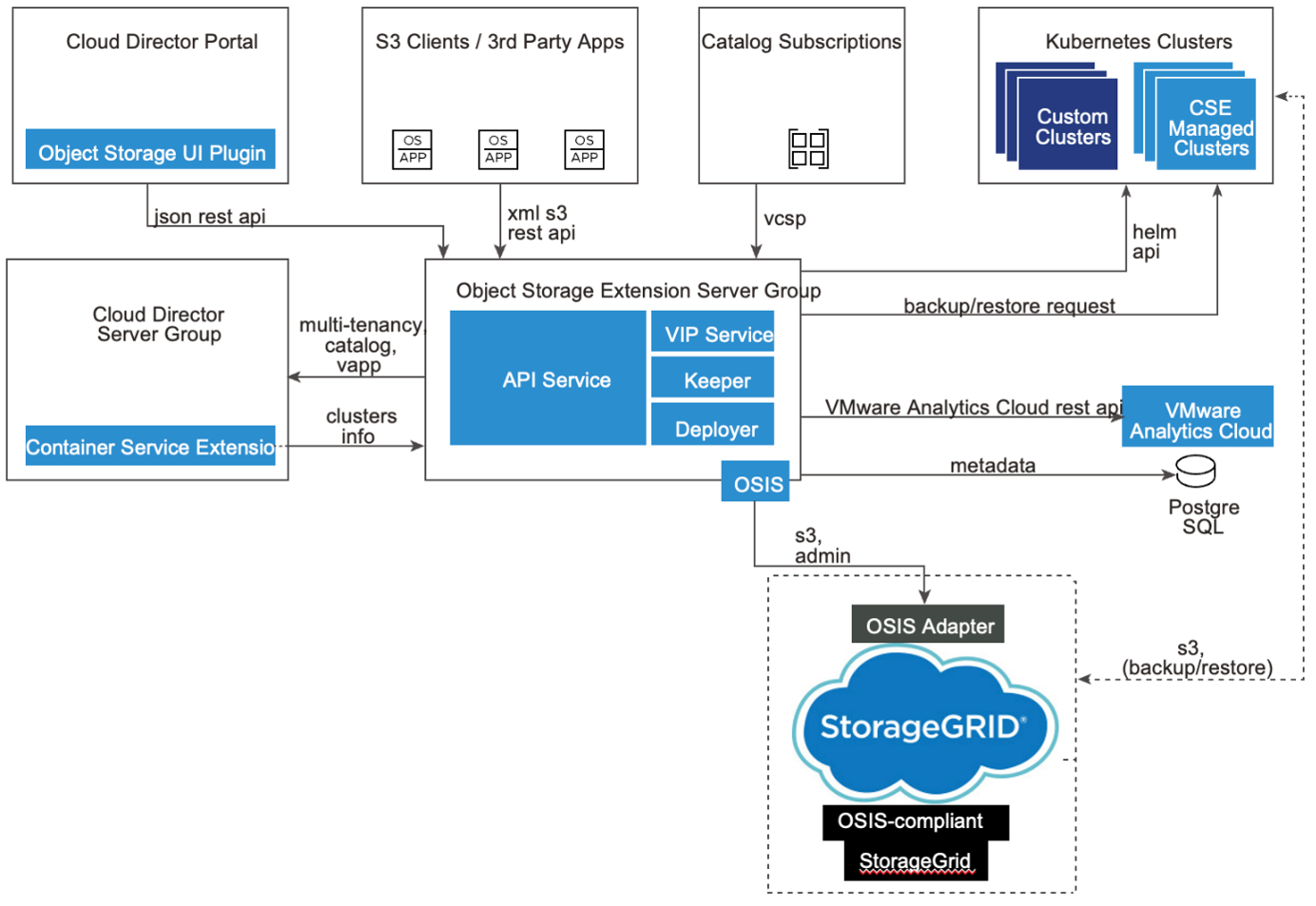
In simple words, this is how it works:
A supported Linux distribution must be used to install VCD OSE, which is supplied as an rpm package. The installation can be a single node or multi-node (for high availability and load balancing). OSE service stores all data in Postgres database. If the VCD implementation is backed by a Postgres DB, then it can be leveraged for OSE too or can have a dedicated database just for OSE.
OSE talks to VCD via API for user authentication and catalog related operations. OSE also talks to the underlying object storage provider. OSE communicates with VCD via API for user authentication and catalog operations.
High Level Installation Steps
Follow six simple steps to Install the VMware Cloud Director OSE installation package.
- Import an externally signed SSL certificate to VMware Cloud Director OSE.
- Connect to a preconfigured database.
- Connect to an instance of VMware Cloud Director.
- Configure the VMware Cloud Director OSE endpoint region information.
- Install the VMware Cloud Director OSE user interface.
- Configure the connection to the storage platform components.
Installation Requirements
To get started with OSE and OSIS, use a supported version of Linux distribution. Then install the rpm package.
With respect to pre-requisites, make sure the following:
- VMware Cloud Director is a required component. Versions supported are 10.3, 10.4 and 10.5. The VMware Cloud Director instance must support VMware Cloud Director cloud provider admin and tenant portal.
- Ensure the database instance (PostgreSQL versions 10 or later) and a database user with necessary permissions is provisioned to create tables and change schemas.
- Ensure OpenSSL is installed on the target machine.
- Make sure that the clocks of all VMware Cloud Director OSE and object storage platform nodes are synchronized using Network Time Protocol (NTP) server.
- For required ports, follow the guidelines here
OS requirements
Any Linux distribution from the below list is supported.
- CentOS Linux 7 and up
- Ubuntu 18 and up
- Debian 10 and later versions
The following packages must be installed on the designated agent virtual machine:
Note: In this demonstration, Ubuntu 18.04.6 LTS was used
Once pre-requisites are established, proceed with the simple installation steps to complete the integration, and use NetApp StorageGRID for the tenants. For detailed pre-requisites, refer to Before you begin section of the VMware Cloud Director OSE documentation.
To get started with OSE installation, provision a new Linux based VM depending on the deployment type (small/medium or large).
- Provision a New Linux based VM for OSE and copy the installer RPM via WinSCP or other mechanisms.
Note: This demonstration uses small deployment type (4 Core CPU, 8GB RAM and 120 GB Free disk space)
- Install Postgres database.
- Configure Postgres database by editing postgresql.conf
Under Connection Settings, set max_conncections to 500.
Under Resource Usage, set shared_buffers to 512MB.
- Create an OSE Database and user and then grant all privileges for the user to the newly created OSE database.
- Once done, install OSE binary package.
- Install the package using following cmd.
apt install /home/vmware-ose-2.2.2-22098306.deb
(copy the package using WinSCP or other utilities)
- Generate a new self-signed SSL certificate for the VMware Cloud Director OSE service:
ose cert gen --cn ubuntuose.ehcdc.com --secret 'NetApp!23'
[Summary]
        Certificate[0]
                CommonName        : ubuntuose.ehcdc.com
                Organization            : VMware, Inc.
                OrganizationalUnit   : TestUnit
                Locality                     : Palo Alto
                Province                   : California
                Country                    : US
                Not Before               : 2023-09-27 18:09:16 +0000 UTC
                Not After                  : 2028-09-25 18:09:16 +0000 UTC
                FriendlyName          : ubuntuose.ehcdc.com
[Path]
        /opt/vmware/voss/conf/voss-keystore.p12
Note: Externally signed certificate can also be imported. In this blog, self-signed certificate is used.
- Set database connection to configure a connection between the database instance and VMware Cloud Director OSE.
ose db set --url=jdbc:postgresql://ubuntuose:5432/osedb --user=oseadmin
root@UbuntuOSE:~# ose db set --url=jdbc:postgresql://ose-ubuntu:5432/osedb --user=oseadmin
Secret   : *********
Updated the config Database successfully.
[Database]
        URL                : jdbc:postgresql://ubuntuose:5432/osedb
        SSL mode           : disable
        username           : oseadmin
- Configure VCloud Director connection URL to configure a connection between VMware Cloud Director and VMware Cloud Director OSE
ose director set --url=https://vcloud_105.ehcdc.com --user=administrator@system --secret='NetApp!23'
root@ubuntuose:~# ose director set --url=https://vCloud_105.ehcdc.com --user=administrator@system --secret='NetApp!23'
The target endpoint claims below SSL certificate.
[CommonName]                   : vCloud_105.ehcdc.com
[OrganizationalUnit]           : []
[Organization]                 : []
[Country]                      : []
[Locality]                     : []
[Fingerprint]                  : 2f2606313dd6db8de2e80a6b3214fc3a8843973b2c1a80a3eafcb0f35b128bd4
? Do you trust this certificate for the SSL connection? Yes
Updated the config Cloud Director successfully.
[Cloud Director]
        URL                : https://vCloud_105.ehcdc.com        username           : administrator@system
- Set the URL and the region name for the VMware Cloud Director OSE endpoint using “ose endpoint set”.
root@ubuntuose: ose endpoint set.
 URL      : https://ubuntuose.ehcdc.com:443 Region     : default
- Install the VMware Cloud Director OSE user interface plug-in for VMware Cloud Director by running “Install ose ui”.
root@ubuntuose: ose ui install
[Installed Plugin Info]
        OSE public URL          : https://ubuntuose.ehcdc.com:443/        VIP Host                : https://ubuntuose.ehcdc.com:443/        VIP Pseudo              : false
        VIP CollectSource       : false
[Plugin Detail]
        Plugin Name     : VMware Cloud Director® Object Storage Extension™
        Vendor          : VMware
        Version         : 2.2.2-22098306
        Enabled         : true
        ID              : urn:vcloud:uiPlugin:786776ec-6d41-4e2f-8255-421cc848a285
        Plugin Status   : ready
        Tenant Scoped   : true
        Provider Scoped : true
        Description     : Object Storage UI Extension.
        License         : Copyright © 2019-2023 VMware, Inc. All rights reserved.
        Link            : http://www.vmware.com/support        Resource Path   : /tenant/System/uiPlugins/786776ec-6d41-4e2f-8255-421cc848a285/c2a598bd-3f9c-4fba-b2a8-68c36c0bfae2
- Run “OSE UI show” to show details about the configuration of the VMware Cloud Director OSE user interface plug-in for VMware Cloud Director.
Once OSE is configured, then it is time to install the OSIS adapter.
- Download the OSIS adapter zip package, untar and then configure Application.yml, Logback.xml and KeyStore with appropriate settings and run the startup.sh script.
- Once done, set OSIS Adapter endpoint in OSE
ose osis admin set --name NetappSG --url https://localhost:8080 --user bycast --secret 'NetApp!23' --force
- Then, set the S3 Endpoint
ose osis s3 set --name NetappSG --url https://172.21.254.25:443
- It is time to enable configured platform.
ose plarorms enable osis --name NetappSG
- Restart OSE keeper Service.
ose service restart
- Validate OSIS Config
ose config validate
During the configuration of VMware Cloud Director OSE, the user interface of VMware Cloud Director OSE registers as a plug-in to VMware Cloud Director. VMware Cloud Director OSE cloud provider admin portal can be accessed from VMware Cloud Director cloud provider admin portal.
Additional Configuration
Go to the VMware Cloud Director cloud provider admin portal URL and log in with the System Administrator username and password. From the More drop-down menu, select Customize Portal.
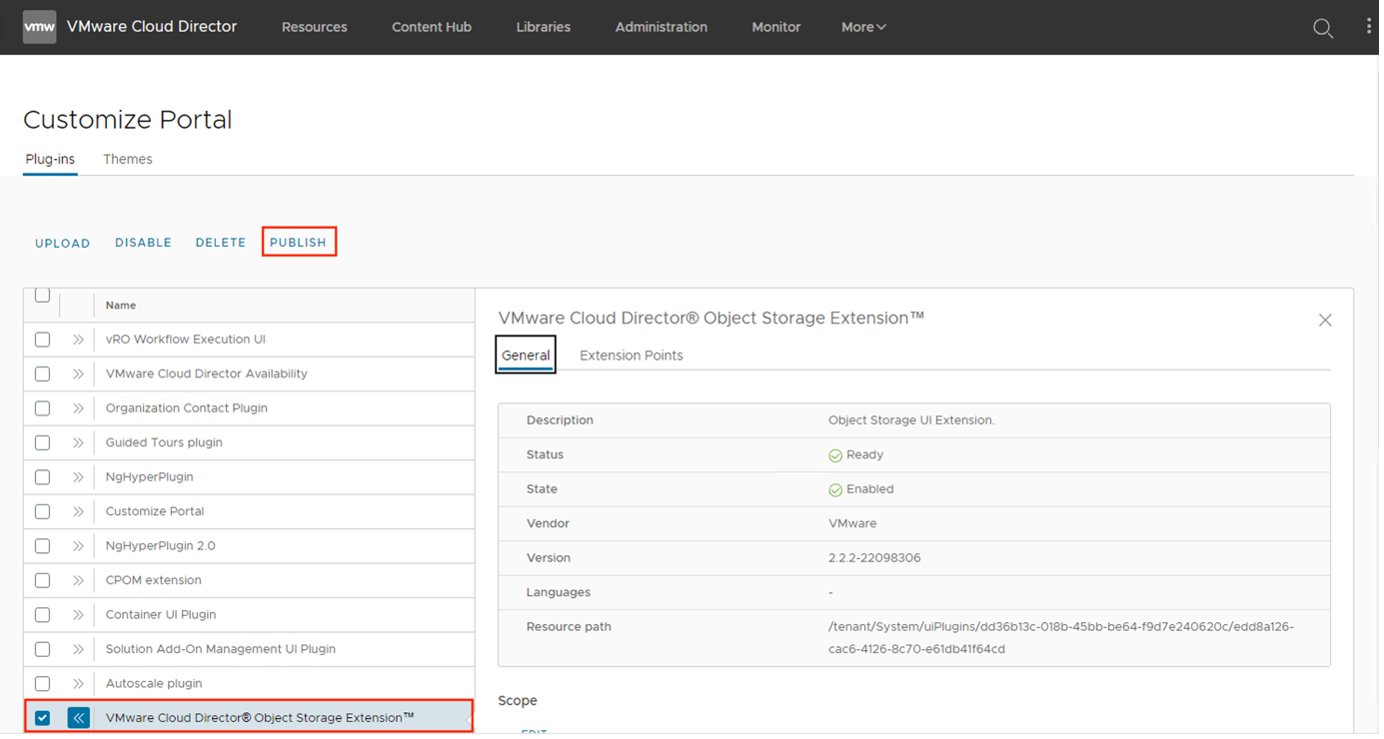
Select the OSE plugin scope and tenants to which you would like to expose it. Now select Object Storage.Access from the More drop-down menu.
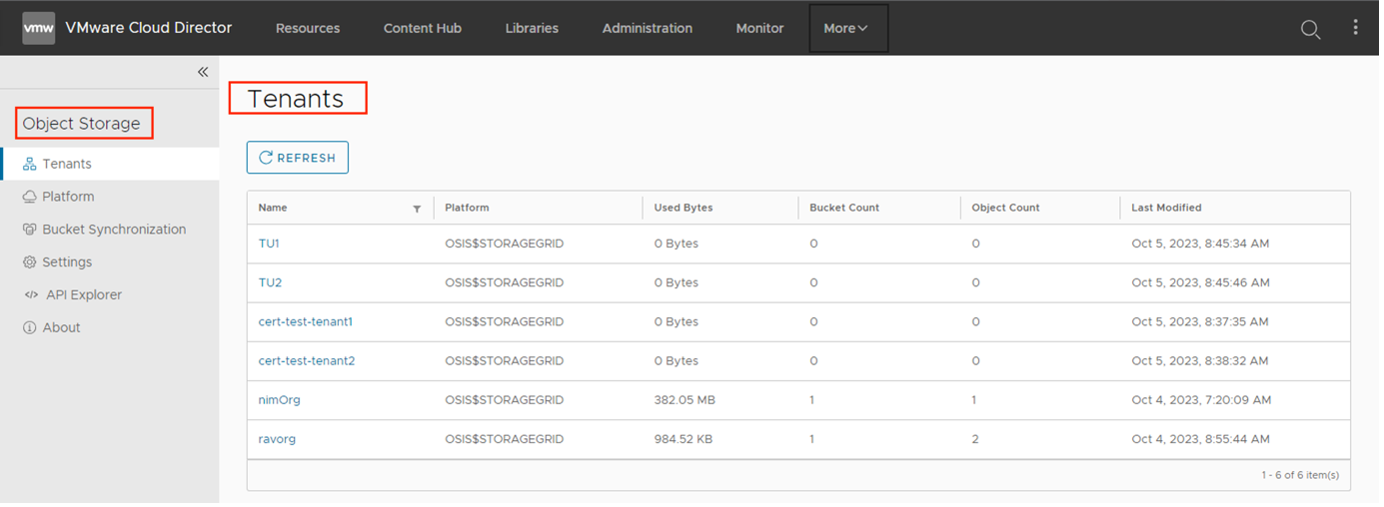
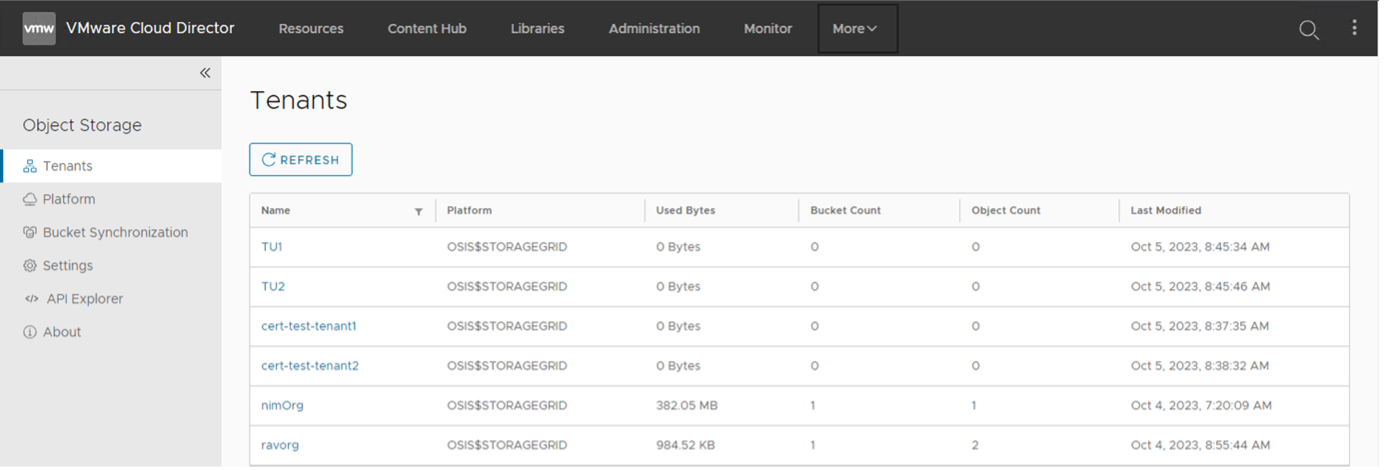
To enable Tenants to consume Object Storage, it needs to be activated. Click on the respective tenant and select "Activate" option to enable OSE for that tenant.
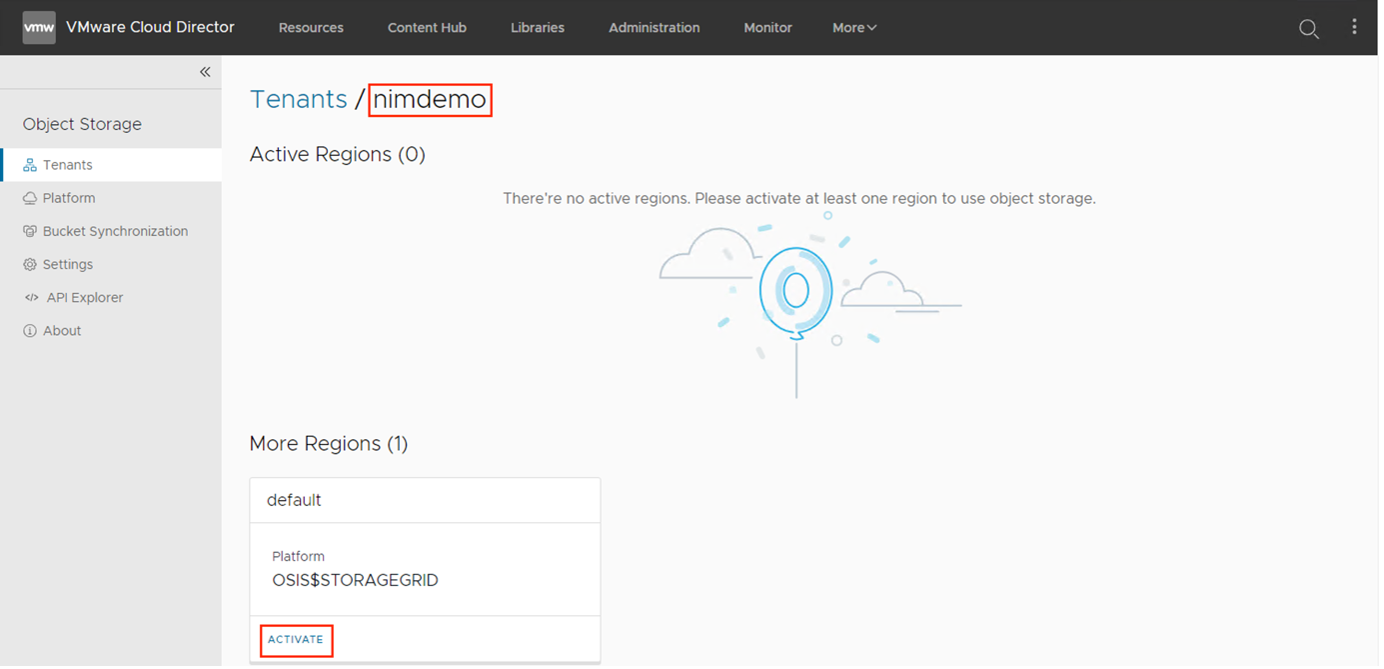
Now the selected tenant is activated for consuming object storage via VCD portal.
Operations on buckets and objects
Login using tenant URL using a tenant user account and navigate to Object Storage plugin from context menu.
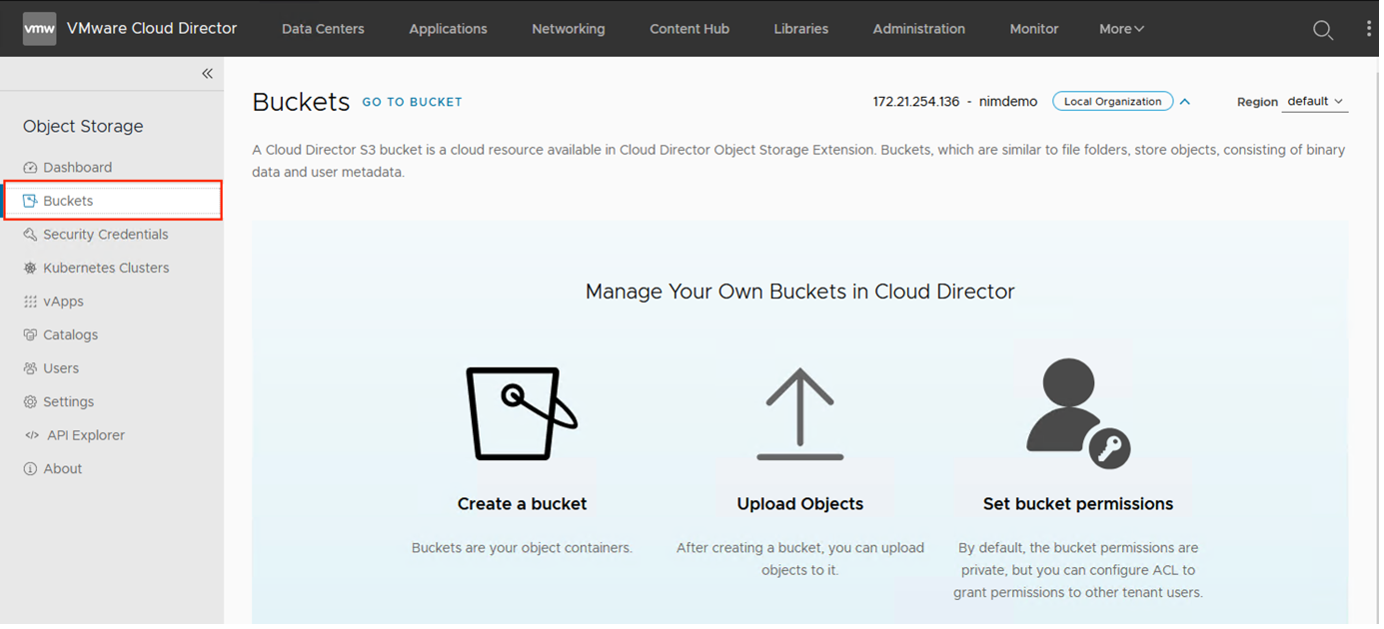
It is time to create buckets and upload/version/copy/delete files (object related operations). The tenants can provision storage buckets (100GB quota by default and this can be modified by setting "quotaObjectBytes" parameter within the yaml) and directly upload/download objects into them via the UI or use S3 APIs or S3 compatible solutions to do so. Objects can be also accessible via S3 path-style URL for easy sharing.
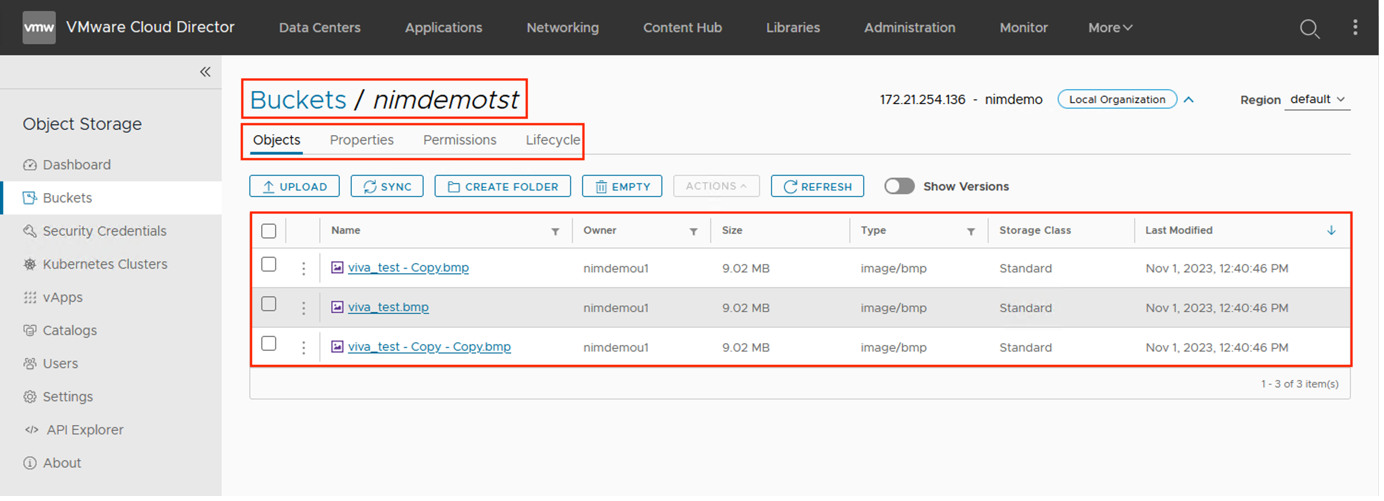
To summarise, this extension provides multitenant S3 compatible API endpoint as well as user interface plugin for vCloud Director.
The benefits/use case of this solution include the following:
- Objects can be uploaded and downloaded directly into storage buckets via the UI or using S3 APIs or S3 compatible solutions.
- It is also possible to access objects via S3 path-style URLs for easier sharing. Additionally, tenants can provision credentials for their application and use them to persist configuration or logs and access unstructured data (web servers) for their (stateless) workloads.
- In addition to being tightly integrated with vCloud Director, object storage is also available for use as an archive and distribution resource for vCloud Director vApps and Catalogs.
- vApps can be captured in a dedicated bucket and later restored back to the tenant's org VDCs.
- The bucket can also be used to capture vApp templates and ISO images, or to create them from scratch by uploading individual ISO and OVA objects, which can then be used by the same or another organization even in another instance of vCloud Director.
If you are a VMware Cloud provider and planning to enhance the offerings with object storage capabilities, then try this integration now.

