I am attempting to create a workflow where certain steps will not run if a volume is offline or doesn't exist. To achieve this, I was trying to the use "Execute this command" on the advanced tab of the workflow step, but I can't seem to get the syntax correct. Or, maybe it's because I'm trying to use a previously defined object? The dropdown allows me to select the object, so it seems like it should work. I've tried putting the "online" word in single quotes, double quotes, and no quotes. All give me the same error.
snapmirror1.volume.state == 'online'
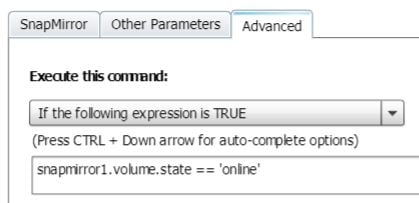
When I do a preview, I get the error message:
Failed to evaluate the conditional execution expression 'snapmirror1.volume.state = "online"'. Illegal expression: snapmirror1.volume.state = "online"
What am I missing?



