- Mark as New
- Bookmark
- Subscribe
- Mute
- Subscribe to RSS Feed
- Permalink
- Report Inappropriate Content
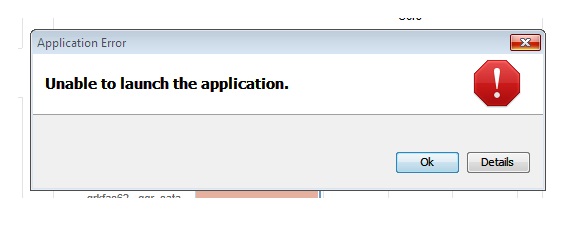
here is the java trace file generated when i open the link remotely:
Log started: Tue, 24 Mar 2015 13:14:55 -0500
Java Web Start 10.67.2.01
Using JRE version
1.7.0_67-b01 Java HotSpot(TM) Client VM
#### Java Web Start Error:
#### Unable to load resource: https://servername:443/client/app/http-client.jnlp
i tried adding in the exact link on the OCI server for this that does work and had no luck - is it related to the version of java?


- Mark as New
- Bookmark
- Subscribe
- Mute
- Subscribe to RSS Feed
- Permalink
- Report Inappropriate Content
Highly doubtful.
The way the Java client works is roughly as follows:
Download JNLP file via https
Parse JNLP file - download code via HTTPS
Bootstrap client
Client initiates https connection to server
You are basically stuck at roughly phase 1, or the start of 2.
It doesn't make much sense why you can download the JNLP via a browser, and then get this error message, unless the browser has a different communication path to the OCI server from what Java would have, but it sounds like we have ruled this out as no proxies are in use with the browser or Java.
PM me your OCI ASUP site name if you are sending us extended logs, and I can see if anything interesting is happening server side
- Mark as New
- Bookmark
- Subscribe
- Mute
- Subscribe to RSS Feed
- Permalink
- Report Inappropriate Content
is it possible to manually download the bootstrap client and bypass all of this?
- Mark as New
- Bookmark
- Subscribe
- Mute
- Subscribe to RSS Feed
- Permalink
- Report Inappropriate Content
No, it is not

- Mark as New
- Bookmark
- Subscribe
- Mute
- Subscribe to RSS Feed
- Permalink
- Report Inappropriate Content
THis Last options to correct the network proxy worked for me!
I was initially using the Browser Proxy but when I changed to Direct it started to work.
THanks Guys.
,Sheel

- Mark as New
- Bookmark
- Subscribe
- Mute
- Subscribe to RSS Feed
- Permalink
- Report Inappropriate Content
Here's a workaround doc I wrote for my company for java compatability issues. You can have an older java version installed simultaneously with the "current" release and then use a windows shortcut to invoke that java directly against the server. The coffe cup UI will not work, but a deskop shortcut is actually more convenient anyway. 😉

- Mark as New
- Bookmark
- Subscribe
- Mute
- Subscribe to RSS Feed
- Permalink
- Report Inappropriate Content
Thanks.
Now I've tagged as a solution your answer but if it fails I will untag it 

- Mark as New
- Bookmark
- Subscribe
- Mute
- Subscribe to RSS Feed
- Permalink
- Report Inappropriate Content
Has this issues been resolved?
I have OCI 7.0.2 build 164 and from Windows 7 client using Chrome and latest Java (8.0.45) the UI just will not complete. It downloads the app when first run and then nothing.
I can't use previous Java versions (no option in our company), so the previous solution is not possible.
What other options are their for configuring/changing annotations etc. Is there only the Java UI?
thanks in advance for suggestions/ideas/help.
- Mark as New
- Bookmark
- Subscribe
- Mute
- Subscribe to RSS Feed
- Permalink
- Report Inappropriate Content
- Mark as New
- Bookmark
- Subscribe
- Mute
- Subscribe to RSS Feed
- Permalink
- Report Inappropriate Content
ok thanks...can you post the link to the patch please.
thanks
- Mark as New
- Bookmark
- Subscribe
- Mute
- Subscribe to RSS Feed
- Permalink
- Report Inappropriate Content
In the first page of this thread you can find a workaround.
Here (I cannot assure if the link is still valid)
http://community.netapp.com/fukiw75442/attachments/fukiw75442/oncommand-storage-management-software-discussions/17712/1/OCI%20-%20Java%20Console%20Ver...
Here I've shared a server sided patch and instructions doc that solves all Java issues running GUI on server and/or from client with Java 8 releases.
https://www.dropbox.com/sh/zudjyw0wp5ssuh9/AADreeU_zkLmDzT_2WxctmPQa?dl=0

- Mark as New
- Bookmark
- Subscribe
- Mute
- Subscribe to RSS Feed
- Permalink
- Report Inappropriate Content
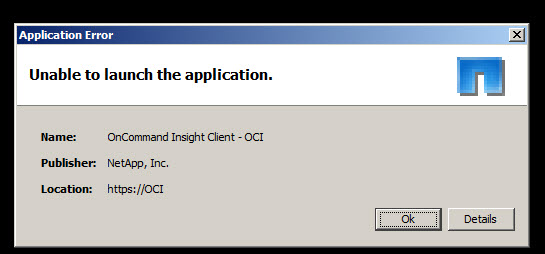
We are also testing OCI 7.0.2 build 164. Although it runs fine from the OCI server, when we try to open it from a user workstation (Windows 7 Professional), we can't seem to find an appropriate jre7 update that will allow the Java UI to open. We end up with the "unable to launch application" window. We were fine when testing 7.0.1, but now that we are testing 7.0.2 it's not working at all. We had a workaround of sorts for jre7u71, but that is not working now. I've tried to downgrade to lower updates, tried 32-bit and 64-bit of most java updates, too.
If there is a server side patch available for 7.0.2, I would be very interested in giving that a try.
Thank you!
Julia

- Mark as New
- Bookmark
- Subscribe
- Mute
- Subscribe to RSS Feed
- Permalink
- Report Inappropriate Content
Build 164 doesnt work for us either. We dont actually get an error but nothing happens when Java loads and you accept all the awesome java prompts.
7.1 is out but its a FCR, not sure I want to work THAT bad 🙂
- Mark as New
- Bookmark
- Subscribe
- Mute
- Subscribe to RSS Feed
- Permalink
- Report Inappropriate Content
Justin, have you obtained and deployed the patch for this issue?
- Mark as New
- Bookmark
- Subscribe
- Mute
- Subscribe to RSS Feed
- Permalink
- Report Inappropriate Content
That's the only way to get it, right?
- Mark as New
- Bookmark
- Subscribe
- Mute
- Subscribe to RSS Feed
- Permalink
- Report Inappropriate Content
I've got the same issue with 7.1 release...
The server side patch with the new jar file seems newer (4/29/2015) than the one on 7.1 installation files.
I've tried to apply the patch but I've got always the same error. With or without the patch...
The server is the same 7.0.2 with same environment where the patch worked. Just upgraded to 7.1
This java is a real nightmare!!!
Bye
Regards,
- Mark as New
- Bookmark
- Subscribe
- Mute
- Subscribe to RSS Feed
- Permalink
- Report Inappropriate Content
The patch will break OCI 7.1.0 as the patch is both built for 7.0.2, and unnecessary for 7.1.0. I write this while having the Java client for 7.1.0 open on my laptop, running on Java 8u45
Giacomo - I would clear out the Java cache - this is always recommended if you are upgrading from one OCI version to another.
- Mark as New
- Bookmark
- Subscribe
- Mute
- Subscribe to RSS Feed
- Permalink
- Report Inappropriate Content
Sorry, I've replied without refreshing the page.
Anyway I've got that error also before the patch with the original jar file.
I'll do some test.
Bye
- Mark as New
- Bookmark
- Subscribe
- Mute
- Subscribe to RSS Feed
- Permalink
- Report Inappropriate Content
Good morning guys,
Thank you for all of the follow-up and feedback. I was unexpectedly out of the office and haven't been able to attend this.
I did try a patch that ostiguy forwarded for 7.0.2, but I was still getting the error. I'm going to be testing 7.1 next week to see if we can get a better response with Java (yes, a giant nightmare). I'm glad to know that java8u45 is working with 7.1.
Thanks again for the feedback!
Julia
- Mark as New
- Bookmark
- Subscribe
- Mute
- Subscribe to RSS Feed
- Permalink
- Report Inappropriate Content
Yep! Cleaned the java cache it works. On OCI server I did it manually in C:\Users\<running user>\AppData\LocalLow\Sun\Java\Deployment\cache for there's no Control Panel Java applet.
No issue at all running Java UI from desktop shortcut on the server itself.
Labor day? Yes. Working on OCI 7.1 lab  but just because here is raining!

- Mark as New
- Bookmark
- Subscribe
- Mute
- Subscribe to RSS Feed
- Permalink
- Report Inappropriate Content
Hello everyone,
We have got OCI 7.1 but I am still getting this error with Java 8 u 60. The Java client initially worked on my Win 7 machine but not anymore, however, it works from the Server.