NetApp Community Update
This site will enter Read Only mode on July 23 as we prepare to move to a new platform. You will still be able to view content, but posting and replying will be temporarily disabled.
We're excited to launch our new Community experience on July 30 and more information will follow soon.
Stay connected during the transition - Join our Discord community today.

AFF

separate iscsi traffic and peering traffic on shared ports aff220

jlf79
4,106 Views

I would use always the same ports (e0e and e0f) used for peering for iscsi traffic but isn't clear for me how I can separate the traffic (iscsi_a, iscsi_b, nfs, cifs). Now I've configured differente subnets for peering iscsi_a and iscsi_b so there are a logical separation but tecnically isn't very correct and I would use a VLAN.


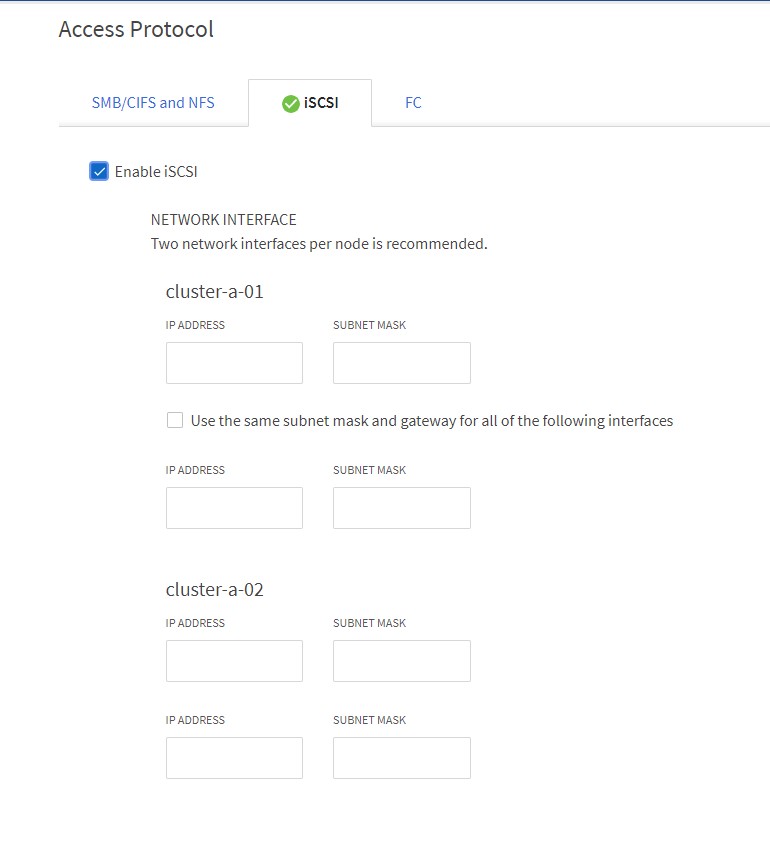
I can create a svm but I can't use a vlan for it; also the GUi (9.7) allow me choose only the IP but I don't have find where set the vlan.


Thanks

3 REPLIES 3

SpindleNinja
4,095 Views

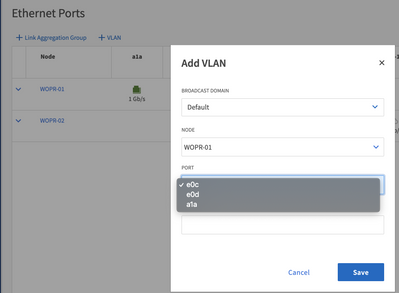
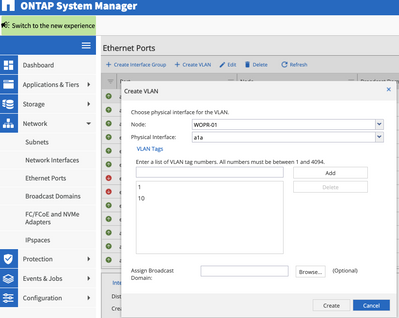
vlans are created under ports.   You will then place the interface (IP)  ontop of the port.    


New GUI: 

SpindleNinja_0-1599920043753.png


Classic GUI: 


SpindleNinja_1-1599920120276.png


CLI -> "network port vlan create" 

jlf79
4,083 Views

I've already created the vlans but I'm not able to use on svm because I can set just the IPs.

I don't have found where assign the vlan to svm (cli or gui).

thanks

SpindleNinja
4,079 Views

I am kind at a loss where that GUI window is honestly...  I honestly find this easier in the "Classic" gui  or the CLI.  the new GUI... is ehhh... 


Back to your question.  When you create a LIF you have to specify type.  If it's "Data" you have to then specify the SVM. To  "assign" a VLAN to a LIF (Network Interface) you just put it on the correct port.    So if you want 192.168.100.101 to be on VLAN 100.  add it to the a1a-100 port when creating the LIF.   


Public