This site will enter Read Only mode on July 23 as we prepare to move to a new platform. You will still be able to view content, but posting and replying will be temporarily disabled.
We're excited to launch our new Community experience on July 30 and more information will follow soon.
Stay connected during the transition - Join our Discord community today.
Network and Storage Protocols
- Home
- :
- ONTAP, AFF, and FAS
- :
- Network and Storage Protocols
- :
- Re: iSCSI target device is connected @ host side but the iSCSI LUN is not shown in Volumes/Bindings ...
Network and Storage Protocols
- Subscribe to RSS Feed
- Mark Topic as New
- Mark Topic as Read
- Float this Topic for Current User
- Bookmark
- Subscribe
- Mute
- Printer Friendly Page
iSCSI target device is connected @ host side but the iSCSI LUN is not shown in Volumes/Bindings page.

- Mark as New
- Bookmark
- Subscribe
- Mute
- Subscribe to RSS Feed
- Permalink
- Report Inappropriate Content
Hi all,
I am using the following ONTAP simulator version.
NetApp Release 8.1RC3X18 7-Mode: Wed Feb 15 19:28:19 PST 2012
I created a iSCSI LUN and presented to the host.
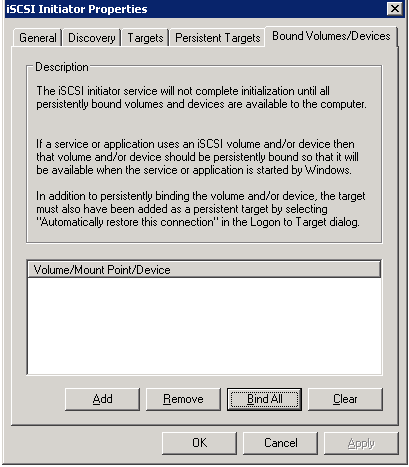
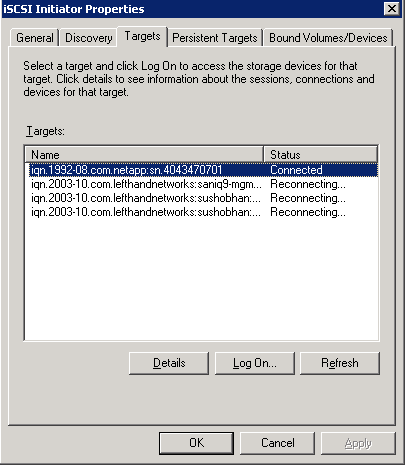
From the host side, i observed the Target device(netapp) is connected. But in "Bound Volumes and Devices page, the volume/LUN is not observed. I have attached the snapshots.
Please refer the following excerpt from the filer.. I presented the same LUN to 2 different iSCSI Groups.
vigor> igroup show
iqn.1991-05.com.microsoft:scenic (iSCSI) (ostype: windows):
iqn.1991-05.com.microsoft:srmesx3-vm4 (iSCSI) (ostype: windows):
vigor> lun show
/vol/lun_16Jul2012_155212_vol/lun2 156.9m (164505600) (r/w, online, mapped)
/vol/vol1/iscsi_lun1_scenic 102.0m (106928640) (r/w, online, mapped)
vigor> lun show -v /vol/vol1/iscsi_lun1_scenic
/vol/vol1/iscsi_lun1_scenic 102.0m (106928640) (r/w, online, mapped)
Comment: "iscsi_lun_to_scenic"
Serial#: BF9rQ+BGVKO2
Share: none
Space Reservation: enabled
Multiprotocol Type: windows
Maps: iqn.1991-05.com.microsoft:srmesx3-vm4=102 iqn.1991-05.com.microsoft:scenic=101
Occupied Size: 0 (0)
Creation Time: Mon Jul 16 10:13:17 GMT 2012
Cluster Shared Volume Information: 0x0
vigor>
Please refer the attachments and Could anyone helps to solve this problem.
Note: I tried to Log on/Connect the Target device's connection and it shows the connected status..
How to get the volume/iSCSI LUN in host side.?
Thanks
Saravanan

- Mark as New
- Bookmark
- Subscribe
- Mute
- Subscribe to RSS Feed
- Permalink
- Report Inappropriate Content
Well, maybe a stupid question, but did you rescan disks on the host?
- Mark as New
- Bookmark
- Subscribe
- Mute
- Subscribe to RSS Feed
- Permalink
- Report Inappropriate Content
Yes, I Rescanned the disks as well as used the Refresh option.. but it didn't work.
Is there any limitations on LUN Numbers? Should it be within the range from 50 - 200 like that?
Any hint relevant to this is appreciated.
Thanks
Saravanan
- Mark as New
- Bookmark
- Subscribe
- Mute
- Subscribe to RSS Feed
- Permalink
- Report Inappropriate Content
I solved the issue.. issue was due to igroup creation and mapping it to the initiator..
i used the CLI commands to create igroup and mapped it..
igroup create -i -t windows iscsi_win_grp
igroup add iscsi_win_grp iqn.1991-05.com.microsoft:scenictest
then mapped the lun to this group name..