NetApp Community Update
This site will enter Read Only mode on July 23 as we prepare to move to a new platform. You will still be able to view content, but posting and replying will be temporarily disabled.
We're excited to launch our new Community experience on July 30 and more information will follow soon.
Stay connected during the transition - Join our Discord community today.

Data Infrastructure Insights

How to change/modify a business entity annotation/tag for an Internal Volume

ivolantech_int
1,554 Views

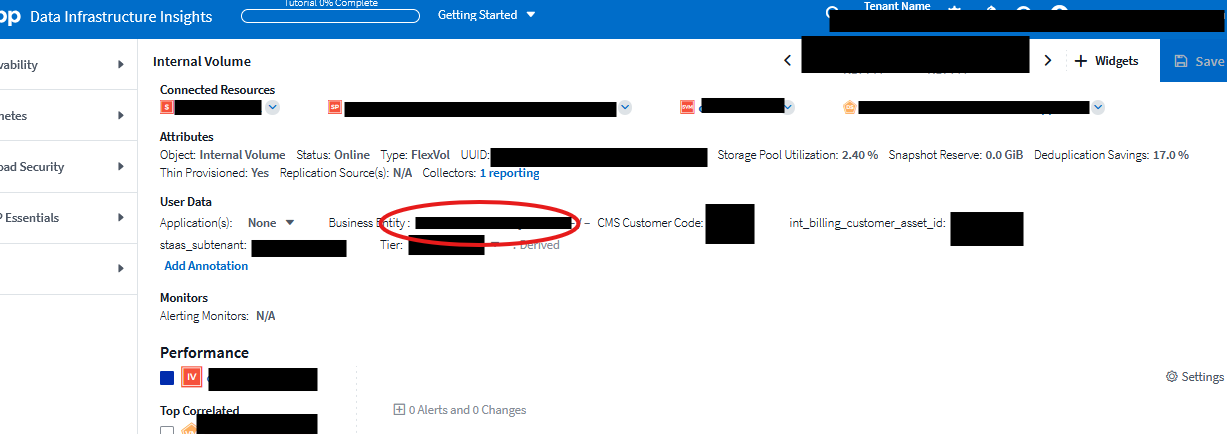
An Internal Volume in our DII is showing the wrong business entity and I need it corrected. How do I go about changing/modify the annotation/tagging for this volume? Please see screenshot just for visual, relevant info's are blacked out, and circled red is the data I need corrected.

1 REPLY 1

hotz
1,532 Views

Seems there were some recent changes in the WebUI, as a result the Business Entity annotation cannot be manually updated by a single click on the landing page of the Internal Volume. Whether this is an intentional change or a bug is not clear to me, I intend to investigate.
What seems to work, is to find the internal volume in question in a metric query, select (tick the checkbox) in the query results for the internal volume and assign the new annotation value for Business Entity by using the "Bulk Actions" => "Add Annotation" button in the upper right corner of the query results.

Public