
This site will enter Read Only mode on July 23 as we prepare to move to a new platform. You will still be able to view content, but posting and replying will be temporarily disabled.
We're excited to launch our new Community experience on July 30 and more information will follow soon.
Stay connected during the transition - Join our Discord community today.
Data Protection
- Home
- :
- ONTAP, AFF, and FAS
- :
- Data Protection
- :
- Re: Newly installed SnapCenter - default credentials ???
Data Protection
- Subscribe to RSS Feed
- Mark Topic as New
- Mark Topic as Read
- Float this Topic for Current User
- Bookmark
- Subscribe
- Mute
- Printer Friendly Page

- Mark as New
- Bookmark
- Subscribe
- Mute
- Subscribe to RSS Feed
- Permalink
- Report Inappropriate Content
Hi all,
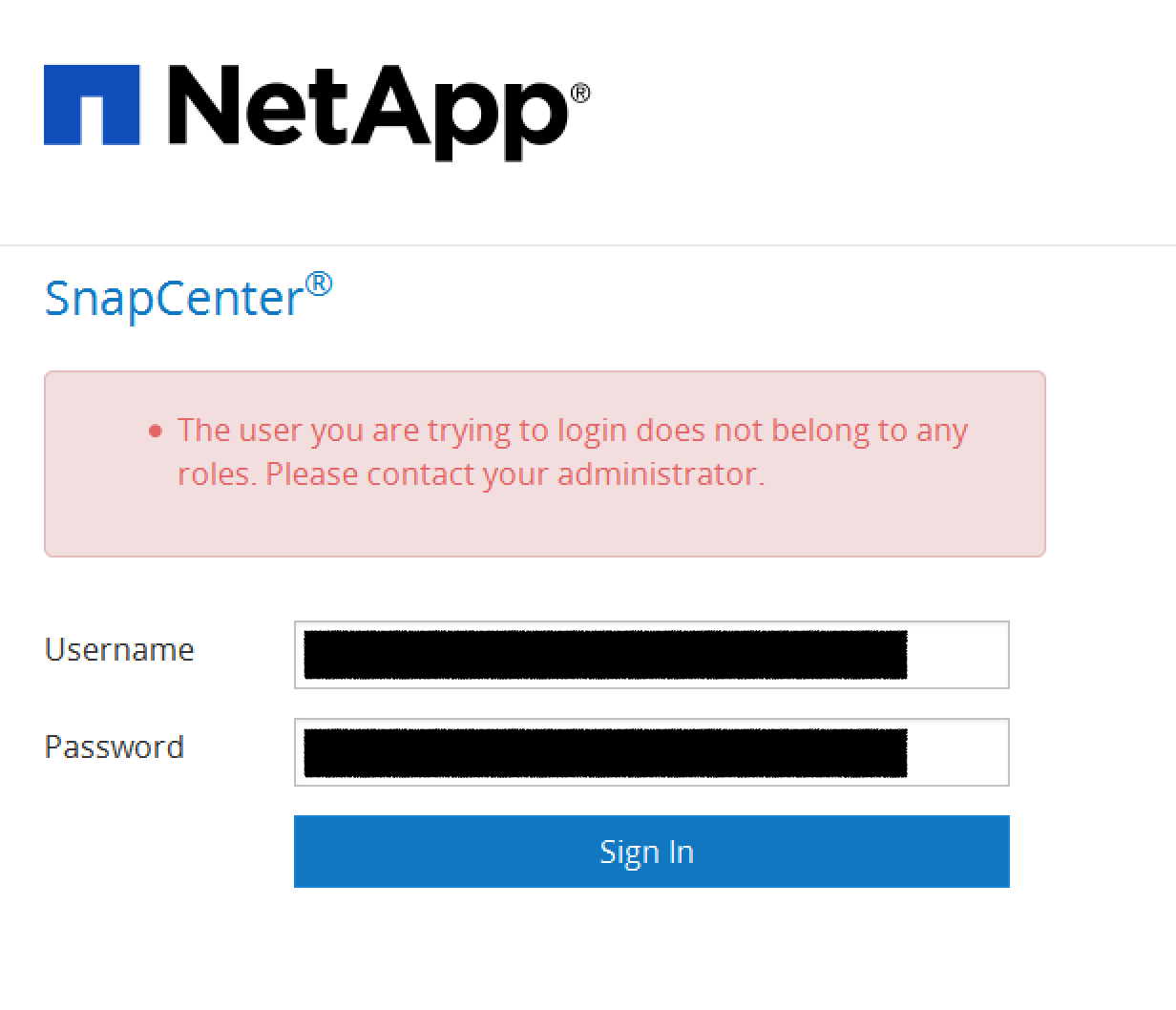
Just finished installing SnapCenter on a Windows Server 2012 R2 and opening the default URL, I don't know what credentials to enter? Looked for it in the documentation... tried to login with local admin and the warning I'm getting is that this user is not part of any ROLE....
Help appreciated... 
JF Martin
Solved! See The Solution


- Mark as New
- Bookmark
- Subscribe
- Mute
- Subscribe to RSS Feed
- Permalink
- Report Inappropriate Content
Yes - the user you specify here is the user you will need to sign into SnapCenter as.
This will be your SnapCenter Administrator.
This needs to be a domain account.
John
- Mark as New
- Bookmark
- Subscribe
- Mute
- Subscribe to RSS Feed
- Permalink
- Report Inappropriate Content
JF,
When you installed SnapCenter you should have supplied credentials for your SnapCenter Administrator.
These are the credentials you will need to log in as.
This will be a domain user that you specified during install.
Format is typically: domain\user
Hope this helps,
John
- Mark as New
- Bookmark
- Subscribe
- Mute
- Subscribe to RSS Feed
- Permalink
- Report Inappropriate Content
Here is the thing:
It says the user isn't in any role... so ?
- Mark as New
- Bookmark
- Subscribe
- Mute
- Subscribe to RSS Feed
- Permalink
- Report Inappropriate Content
At the point of installation only the user that was identified during the install is assigned to a role.
Any other AD users will receive the indicated message as no other users have yet been assigned roles.
Based on what you have provided my assumption is that you are using a different user than the one that was identified during the SnapCenter install.
If this is incorrect the best thing to do is open a support case (or uninstall and reinstall SnapCenter since I assume no configuration of the product has yet been done)
A domain user is required, so be sure you are properly qualifying "domain\user"
John
- Mark as New
- Bookmark
- Subscribe
- Mute
- Subscribe to RSS Feed
- Permalink
- Report Inappropriate Content
That is the screen where we specify this user...

trying to re-install...
- Mark as New
- Bookmark
- Subscribe
- Mute
- Subscribe to RSS Feed
- Permalink
- Report Inappropriate Content
Yes - the user you specify here is the user you will need to sign into SnapCenter as.
This will be your SnapCenter Administrator.
This needs to be a domain account.
John


