NetApp Community Update
This site will enter Read Only mode on July 23 as we prepare to move to a new platform.
You will still be able to view content, but posting and replying will be temporarily disabled.
To learn more, please review the information in this blog post.

VMware Solutions Discussions

Virtual Storage Console 6.2.1 - missing in vCenter

ppadmgeo1
10,736 Views

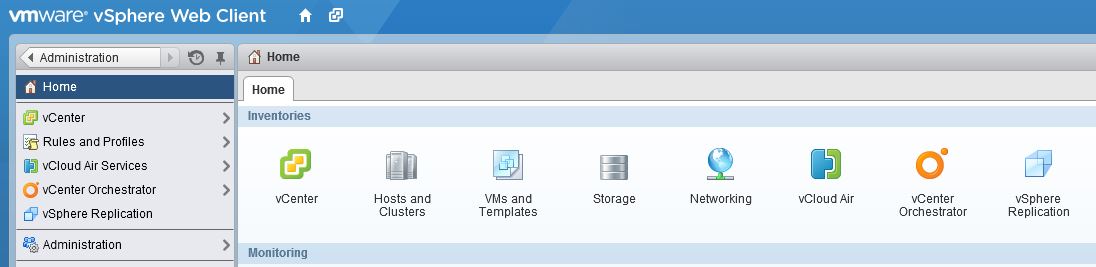
I installed Virtual Storage Console 6.2.1 and registered with vCenter 5.5U3 successfully, but cannot see Virtual Storage Console in the Web Client.


Administration  / Client Plug-ins in the Web Client does not show anything NetApp related. The Web Client server has nothing com.netapp* listed in C:\ProgramData\VMware\vSphere Web Client\vc-packages\vsphere-client-serenity (vCenter and Web Client are installed on different servers); VSC is on a third server.


I am not sure why VSC says that it is registered successfully - there doesn't appears to be any sign of it. How can I fix this?

1 ACCEPTED SOLUTION

Jeff_Yao
10,641 Views

hopefully helps:

checking 1. Port 8143 was getting blocked by a firewall?  2. rebooted the VCSA and the server the plugin was installed too...


thanks

Jeff

View solution in original post

2 REPLIES 2

Jeff_Yao
10,642 Views

hopefully helps:

checking 1. Port 8143 was getting blocked by a firewall?  2. rebooted the VCSA and the server the plugin was installed too...


thanks

Jeff

ppadmgeo1
10,571 Views

Port 8143 was indeed closed - it turned out they opened it from vCenter server as opposed to the Web CLient one.


I can see the VSC in the Web Client now


THanks

Public