NetApp Community Update
This site will enter Read Only mode on July 23 as we prepare to move to a new platform. You will still be able to view content, but posting and replying will be temporarily disabled.
We're excited to launch our new Community experience on July 30 and more information will follow soon.
Stay connected during the transition - Join our Discord community today.

General Discussion

StorageGrid Sizer not working avail capacity..

zoo123
4,216 Views

Hi.  experts~

We are going to try to calculate the capacity through the storageGrid sizer.

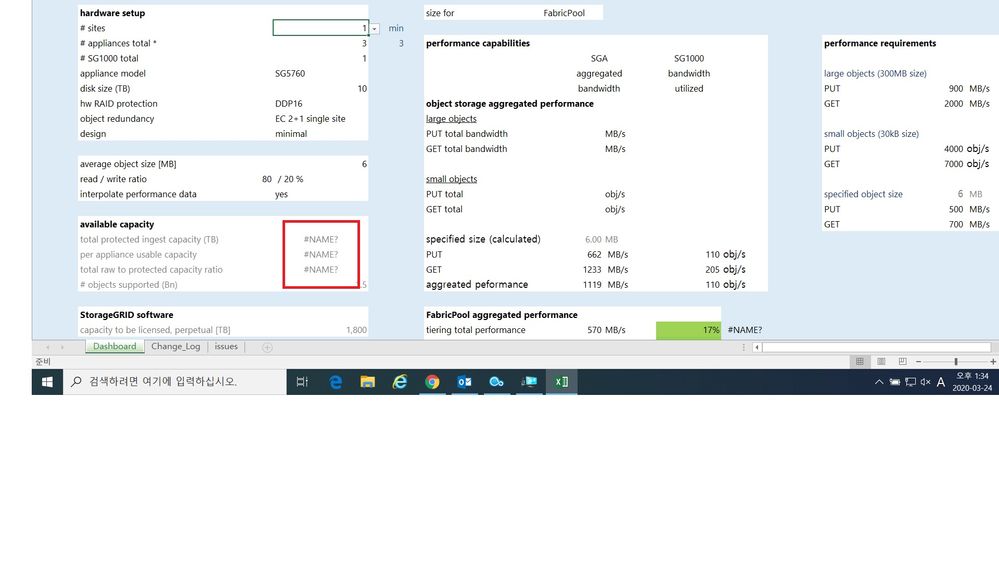
However, the capacity below is not displayed properly.

aabb.jpg
can I know problem?

Thanks all..


2 REPLIES 2

NetAppSEAL
4,132 Views

A few things to try...


  1. Change the drop-down for "HW Raid Protection"  in the "HW Setup" portion of the Sizer from "DDP16" to "DDP"
  2. When sizing for FabricPool, ensure that the value for "Average Object Size [MB]" is set to 4
  3. For the "Read / Write Ratio" section, should reflect 80 / 20, but remove the "%", only include the numeric value

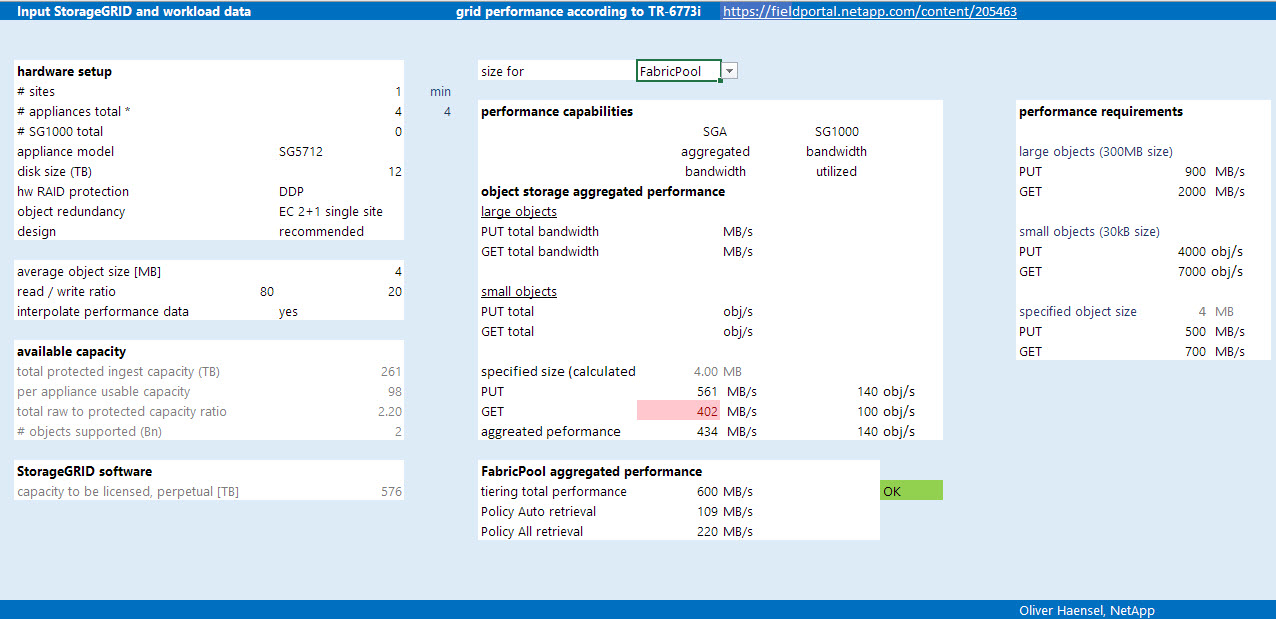
Attached is a screenshot of a similar sizing that shows all outputs being populated correctly. 


SGFPSizer.jpg


Hope this helps.


Cheers,
Trey

zoo123
4,087 Views

Hi Trey.

Thank you very much for your solution.

But I can't solve the problem.. sorry.


Run the  Excel sizer and first select a another model..Immediately an error(#NAME?) occurs.


Could it be Excel's option or version problem?


Attached is a screenshot.


Thanks.
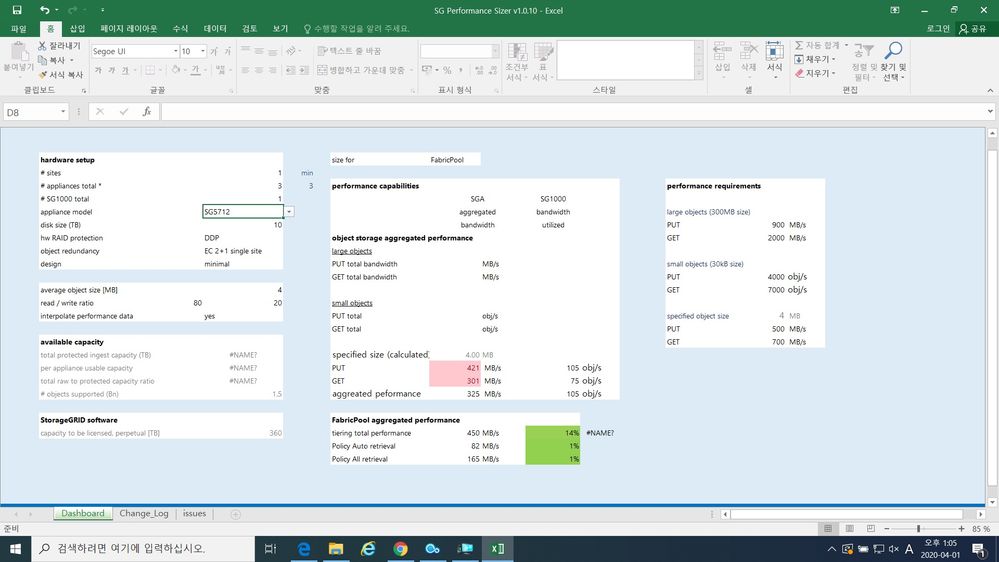
ggggg.jpg

Public