NetApp Community Update
This site will enter Read Only mode on July 23 as we prepare to move to a new platform. You will still be able to view content, but posting and replying will be temporarily disabled.
We're excited to launch our new Community experience on July 30 and more information will follow soon.
Stay connected during the transition - Join our Discord community today.

Simulator Discussions

Peering SVMs "no permitted SVMs"?

Zulhadi
7,098 Views

Hi..


Need to ask a help here related my test lab using ontap simulator 9.4 which is my currently in testing to do a snapmirror exercise. Now i stuck on part on SVM peering.


Still playing with on peer configuration part and I've setup a cluster1 and cluster2 Select instance.

I've setup cluster peering and it looks healthy.

I'm trying to setup SVM peering so I can try to get an SVM on my cluster1 to replicated to my cluster2

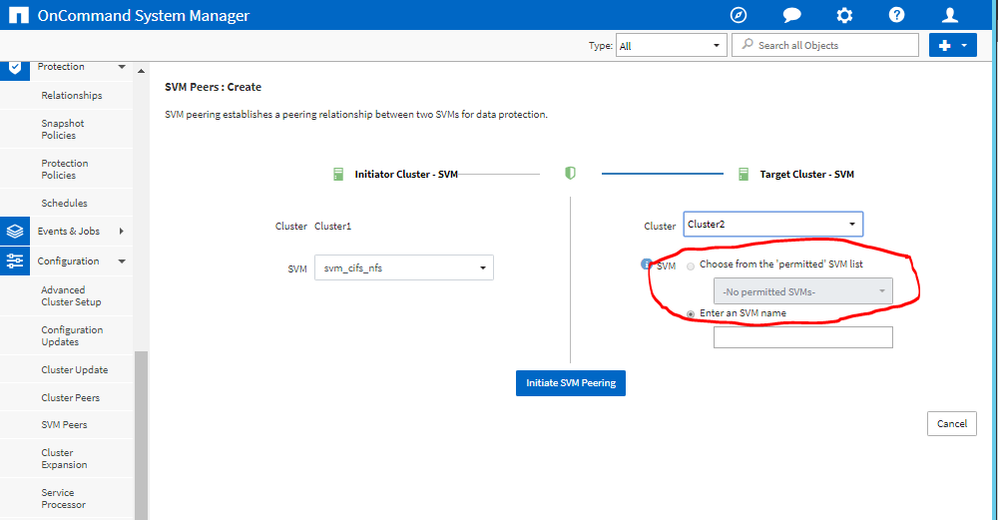
I can see the cluster but I simply see "no permitted SVMs" and I've not tracked down any kb article that seems to tell me why.

The source SVM is basic with just a single volume and NFS and CIFS protocol enabled.

The destination SVM that I created is the same.


Any thought what the point i missing? Thank
 

error.PNG

1 ACCEPTED SOLUTION

GrumpyOldMen
6,871 Views

Can also be done by using the GUI... Configuration ==> Cluster Peers ==> Select a cluster ==> Manage SVM Permissions

View solution in original post

2 REPLIES 2

SeanHatfield
6,964 Views

That option is only available if the admin on the peered cluster has already granted vserver peering permission from the CLI.

See:

https://docs.netapp.com/ontap-9/topic/com.netapp.doc.dot-cm-cmpr-940/vserver__peer__permission__create.html


Otherwise type in the name of the peer SVM and it will initiate a peering request, which will need to be accepted on the other cluster.  


If this post resolved your issue, help others by selecting ACCEPT AS SOLUTION or adding a KUDO.

GrumpyOldMen
6,872 Views

Can also be done by using the GUI... Configuration ==> Cluster Peers ==> Select a cluster ==> Manage SVM Permissions

Public

